Wednesday, December 28, 2022

alchamist style to use button down and button up

 I have always liked the idea of button up in games and I feel like we don't use it enough. We always use the button down to register a button press. 


button up has always been a concept that I would like to use. It would force the player to consider when to let go of a button. There are only so many buttons someone can press at the same time. Think about climbing for example and how you need to use the same limb (arms or legs) to move into the next stop. You can't let go of a spot we are hanging on just because we are interacting with it. 


I always loved the idea of magic summoning. Using different spells at the same time to summon something. I think Magica did it well by reusing the idea from Dota2 Invoker. The problem is usually having to memorize all the combinations


I think the spells need to be a button press. so you can shoot a fire ball, or ice ball or such


BUT

if you press two button and hold both and let go of both, then you get the combination of the two

maybe alchamy of some sort to use this. 

Saturday, February 29, 2020

Crab Volleyball - getting a partner

Probably I should have made a blog way earlier or split this elsewhere but I will start here and retro in the future.

Today I accepted getting help. The game is growing and I think it would be better for the goal of the game "have as many people play and enjoy it" to allow others to join.

There are negatives of course. It is more novel to have the project be a one person project and all. But nothing worth while is built by one person.

I am already noticing myself being better. I am more self accountable. Have more attention to details. Bigger risk as success is someone else's success as well.

Also, now I can get used to working together with someone else. Learning is key and having this skill in a setting like this will help me improve a lot.

onward!
Monday, January 5, 2015

Monthly Budgeting: The 50,30,20 rule

It is 2015 and I am already reflecting on the past year and all of my holiday spending. I started looking into my spending habits given that I have a lot to purchase and plan for this year. It is stressful to measure my spending compared to other people given that everyone's life and income is different. So as a result, finding an answer to this can get complicated

I can't find the source for it, but I remember reading about how Winston Churchill would ask his generals for the full facts happening about WWII just so he can sleep at night. It is an example of how taking control and facing the reality of the issue can free the brain to focus on other tasks and be more productive.

A great rule that I found is the 50 30 20 rule. Simply, it is works as setting three buckets and splitting your income between them

50%: Needs
This money is set for everything that you can not live without. This includes Rent/Mortgage, Transportation, and bills. These are fixed costs that you are paying monthly.

20%: Long term
This is for either clearing debt or saving for retirement (401k or IRA). Savings for long term purchases (e.g. a house) can go here.

30% Lifestyle
This is for flexible spending items. This includes entertainment, restaurants, and all fun activities that you do on regular basis.

You don't have to follow the same percentages of course , but you need to be careful to not overstep a bucket as it can harm you in the long run.

The best thing about this budget is that it can
a) free you from the guilt of having fun. You will have no problems blowing your money on fun activities as long as you know that you are within the threshold that you set for yourself.
b) Better comparison to how others spend their money if that is your thing.
c)Finally, the ability to actually observe and save. If you notice that you are overspending on a media subscription that you are not using then you should think about canceling it.

Not sure why started with a WWII reference.. but I think we should all attack our problems as that is the only way to solve them.

Hope that helps.

(Not so bad) Resource:
http://www.learnvest.com/knowledge-center/your-ultimate-budget-guideline-the-502030-rule/
Thursday, November 20, 2014

Filtering large text files with PowerShell

I found myself struggling to opening and reading large text files and looking for errors. So I made this powershell script:

Get-Content file-name.txt | select -First 5000 |  Foreach-Object{ If ( $_ -match 'ERROR'){$_}  }

Simply it does three things:
Get-Content file-name.txt  gets all of the content of the text file
select -First 5000  gets me the first 5000 lines (this is optional if you want to search all the data)
Foreach-Object{ If ( $_ -match 'ERROR'){$_}  } gets lines with the word 'ERROR' in them

The result is the lines you want. You can use regex for better word matching as well.

To export the result. you can add a "> mytxt.txt" to the line and you will end up with a text file at your directory.


Thursday, April 24, 2014

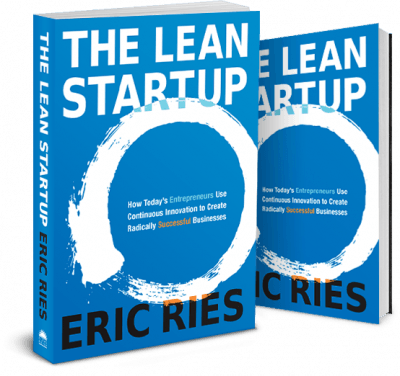
Book Review - The Lean Startup by Eric Ries

A coworker of mine asked me for help on how to buy an audio book and how to listen to it as he is going on a road trip. I recommended the service Audible as it is easy to listen to audio books. The book that he was trying to listen to was Lean Start up by Eric Ries. I had the book on my to read list as I heard many great things about it. It was also a great timing as I just switched my career and joined a small start up with the goal of learning how to start a successful business.


The Lean Start-up focuses on building the features that existing customers want over building a product that no one wants. The process steps that he talks about share a lot with the Agile software process where the app is driven by constant feedback. Small failures are also considered to be a good thing and are encouraged . 

There are a lot of examples and stories told to support the points made on how the process can help companies. My favorite were the ones where the "lean thinking" was implemented in larger companies. Intuit creating process of the mobile Turbo Tax used all of the ideas that seems to be exclusive to a start-up in a big corporation. I have heard that the secret to Google's success was that it was made of start ups inside a corporation umbrella and it all make scene after reading this book.

While I love the concepts of the book, I felt like the audio version was not the best way to enjoy this book. The examples used kept going back to ones used earlier and it was hard to follow the book structure as all chapters felt to sound as they talked about the same thing (compared to Good to Great Audio book where each concept/chapter used it's own chapter). This is more of a study guide to follow than it is an easy to follow audio book. That being said, I found myself sitting in my car waiting for a good stopping point. The concepts discussed were so relevant and ear grabbing.

Book Summary that I enjoyed:
http://www.kimhartman.se/wp-content/uploads/2013/10/the-lean-startup-summary.pdf
Tuesday, February 4, 2014

Charlotte Start Up Weekend 6: Return of the Jedi

Just a quick reflection about my experience in my second Charlotte Start Up Weekend (CSW6). You can find my last's year thoughts here:
http://amadhammer.blogspot.com/2013/01/startup-weekend-clt.html 

I highly recommend all event participants to take the time to look back and reflect on what they learned, What worked and what they can improve on. It is very helpful.

What is this?
This is the 6th Charlotte Start up weekend. It is an event where participants work over the weekend to create a business. The winner gets a prize package that helps them going further with the business.

But at it's core, it is a networking and hands-on learning event.


How did you prepare and what did you want out of the event?
I had a different strategy this year. Last year, I wanted to put my technical skills on the table. I built a web site and got it going.

This year, I had a different goal: Win the contest... cold truth. Everyone wanted the same thing.. yet it is somewhat selfish when I put it that way. But I want to build a start up and see what lessons I can learn. Winning the contest would give me the chance to do that.

My Pitch:
.. no pitch. A wasted opportunity? I spent my time scribbling down all of the pitched ideas. I wrote "red shirt" next to some pitches and had no idea who was who when they came back they day after wearing different colors.

What went well?
-Decision making. When the teams were announced, I had a "gut" feeling on who can win and who can not. There were a lot of good ideas this year and I wanted to work with three teams (two fitness and one about education). Two of the teams got first and second. 
-Focus. I observed what happened last year and knew what it takes to win. last year, We built a great product  and did not have any potential business. It was clear that we were not accomplishing anything and decided to talk about patents and ideas that could not be done in a weekend. 

What did not go well? (sorry if I offend anyone)
-I did not get to ask people about their pitches before the voting ended.
-My technical skill set was not used (three developers with three different technology stack on the same team).The guilt was very painful to me and I kept going around trying to find things to help out with.
-Did not force myself to meet as many people as I wanted. I need to print out some business cards with personal contact information (Twitter/FB/linkedin) on them.
-I was sick. I had a long work week and I did not eat as well as I should have.

For the future, What would do?
This answer really depends on what I can get out of YouCompleteMe and how it goes. Generally, I am going to stay around the team, learn the ins and out of a startup, and take what I learnt to whatever I am building next.

Who won? How did they win? Do you think X deserved to win instead?
YouCompleteMe,

Yeah I act like a cartoon charachter..but it is worth to quickly highlighting why I think YouCompleteMe Won:
-Working MVP (Minimal Viable product) up and running to handle the business concept.
-Experienced team (5 out of 9 members were at the last start up weekend).A strong diverse team that works together.
-Presentation that explained how our product is a business. Explain the revenue plan
-Explain why we need to win and how we would continue the business beyond the weekend.
-Great video that explained who would use the app.


Basically, We stuck to the formula. We (or I) read the blog by a CSW6 organizer and tried to hit all the points (seriously.. he knows what he is talking about)
http://charlotte.startupweekend.org/2014/01/26/the-final-pitch/

Other teams are solving real problems and they all have potential to grow great business. The biggest reward here is the feedback and network you got. Please prove to everyone that you should have won. Your success will benefit everyone.

Finally
It is a great feeling to win. It validated our work and effort. Our team worked well together and we had a lot of fun. Time flew by very fast that we had to remind each other when lunch and dinners were served. I am really happy that this event exists and I really appreciate the work that the organizers put into this event.


Random points (future blogs maybe?):
-Many people are still leaving after an unsuccessful pitch. You are missing the point of the event and .. it is probably good that your idea was not selected. YES I SAID IT.
-You don't need a website if your business is not technical. Just set up a Google dorm doc and collect emails. 
-Being a developer in a start up weekend kinda sucks. Many of my friends from last year expressed the same opinion and decided that it is not worth coming back. It might be worth it for me to sign up as a "non-technical" to have a chance of pitching and contributing. because .. planning is fun.
-Do some research before you pitch your idea. Talk to others about it and see what they think. Also, does you idea exist already? (so you don't solve a solved problem).


ok enough writing. I need to work on other ideas. Go try out our app
youcompeteme.co


--credit
*photo was taken from detailedblock.com.
*Twitter person who took the second picture I am so sorry I can't find your name

Thursday, October 17, 2013

Book review: I Will Teach You To Be Rich

I will teach you to be rich is a book about the fundamental needed for a person to start a good financial foundation.  It breaks down all of the intimidating investment, credit card, retirement funds, and banking accounts into plain English.

The author proposes a plan to start a 3-4 weeks to start building a good financial foundation.  


The chapters start with explaining the basics such as explaining Credit Cards, opening retirement accounts (401k and roth IRA). Those are the best chapters in my opinion as I had a foggy understanding on what to do and how those financial concepts work. The idea of the early chapters is to not worry about the details of which credit card or account to chose. Instead, It is better to start and get the the tasks done.

The later chapters are about investing and they go in depth into what to do with money. It also talks about how to save money for events like weddings and other spending. I did not think that those advises are strong and I saw some complaints on Amazon about how some of the ideas are wrong or outdated (e.g. bank loans changing, buying a car method does not apply to all dealers).

Overall, I think this is a fun read for beginners. I have been wanting to learn more about investing and money handling. This book worked pretty well as a beginner guide. I would recommend it to anyone who is too intimidated by all of the noise out there.
Friday, May 24, 2013

Getting Started with Chrome Developer Tools


I found a great site called Code School (all free for the 5/24 - 5/27 weekend) with a very well made hand on tutorials for different Web technologies. The Google Chrome Developer Tools  course was free. It was so interesting and engaging that I finished the full course in one day.

Here is a list of features that are included in the Chrome Developer Tools. If you do not have the time to take the course, I highly suggest skimming the features and go back to learn them if you needed the tools.

Elements:
  • Gives you the ability to Drag and drop HTML Lines, Edit the HTML,
  • Look up the CSS items  and where they are inheriting the elements.
  • Ability to change to cursor dependent events (elements like onhover, infocus ..etc) to edit the CSS

Resources:
  • Look up all the files used to create the site (CSS, JS, images) and highlight any missing ones
  • Local storage shows any saved JSON calls (I have yet to test this with forms, but Get and Post data should be shown here)

Network:
  • Shows the calls (Get and Post) made to show all of the files and when they started (server is limited to a number of files it can call in time. So it is a great idea to combine and minify files.
  • To use: Press the black circle at the bottom and it would start recording then Refresh the page.
  • Options to disable cashed items under settings (small gear on the bottom right)


Sources:
  • A text editor. Access all of your (js) files and ability to edit.
  • Right click and click on Local modifications for the option to save your files or revert.

Timeline:
  • Record Behaviors (animation, drawing) to see how long they are taking to draw.
  • Memory monitoring to check for any memory leaks

Profile:
  • Monitor the speed of the JS to help with finding parts of the codes that are slowing the page
  • Monitor CSS to find how long the JS is taking to select the elements (e.g. #elementName vs .elementClass)
  • Take a Heap shot to find any memory leaks of elements not collected.


Console:
Consoles allow you to type any Javas Script functions you have in your page and it would return the result.
Select elements to find them in your html by using  $(".className") or element
Lots of goodies that could be found on the google API support.


Chrome Developer tool is a must learn if you are doing any web development. I have to admit that one feature that I miss from IE dev tool is being able to use the cursor to highlight and click on an element on the web page.

Saturday, May 11, 2013

Zoom in to Show Your Presentation Details

Ever seen a presentation where the presenter zoomed in to a part of the screen to show some hard to read details?

I always thought that it was a windows feature but I finally found it. This cool trick could be done with a product from Microsoft called ZoomIt.  It is hard to show an example of it, but  this is what my full screen looks like before and after zooming in.


I wish I knew about this before I used ctl + and - on my presentation. Enjoy!
Thursday, May 9, 2013

How to Give Your First Technical Presentation

So I gave my first ever technical presentation at Carolina Code Camp 2013. I talked about a technology that makes my life easier and felt that other developers should know about.  I had a lot of fun doing it and received a positive reaction from the audience.

Before I start, I just want to break the misconception of being an expert to present. You don't. It is all about knowledge sharing and helping others. You can simply research a topic for a week and present the lessons to your audience.


It was a learning experience for me and a step that I knew that I should take one day. So I decided to focus on improving my presentation and public speaking skills.  These are some basic  tips I collected  that would help anyone trying to present for the first time:

1- Don't focus on being a great presenter. Focus on not sucking
Silly..but an average presentation where the message is delivered is your goal. You can not become a Steve Job by practicing for a weekend. It takes experience to give a great presentation.  Instead, look back at the bad presentations that you been to (speaker was not prepared, reading from the slides ...etc) and focus on NOT doing these mistakes.

2- Practice In voice
Practicing the presentation in voice helps with recognizing strong points for the slides. Each slide should have a reason for being up and you will need to tell the audience why you have it up there.
It also helps with creating an "auto pilot" feel where some  key points would be explained  at the right time giving you time to prepare for answers. And walk around the room to practice your body movement.

3- Find Your slides Balance
A slide with one word can be as powerful as one with multiple bullet  points. Your goal with the text is to get your crowed to stay at the same subject as you.  Do not read from the slides as human eyes can read faster than the speaker reading.

4- Live Code can go wrong. Just show us the code
If you are a new speaker, Try to lower the risk of failure of presentation tools. We know that you can code. So not coding in front of everyone and showing us the final result is enough. Just practice, add a lot of comments  and know the code does.

5- Everyone in the room wants you to succeed
Unlike the old school  and college days, No one is forced to come in. Everyone knows what it feels like to present and they know that it is tough. They will all help you because they want to hear what you got.

6- Draw your energy from the crowd
Your crowd will follow along and there will be some interested people sitting. Try to find one from each section of the room and it would look as if you are making eye contact with everyone. It would be more helpful if they are sitting in the back.

7- Tell them when they can ask questions
It is a great feeling when others ask questions. It wakes up the room to hear another voice talking.  After any big slide, make sure that you are asking for questions. Waiting to the end would cause the audience to forget to ask. Plus, It is easy to assume that the crowed knows some concept when they are not familiar with it. A simple question can clear a lot of confusion and put everyone at the same point with the speaker.

8- Show your personality
Be human. The audience would learn more from a presentation that they enjoyed. be yourself. Just talk to them the same way you talk to your friends.

9- Tell a story
You can always come up with a story. Do you have any reference stories about your client? How did you start using this technology? We want to relate the technology to our lives. An If statement is a cool concept, but an ability to make a decision is more interesting.

10- Replace the "um" with hand gestures.
Trust me .. Not a single um was given.

That is all I can think about now. I am still a bad presenter and will be for a while. And it is OK. Everyone got to start somewhere. I did not expect that good of a reaction out if my first  presentation.  I can't wait until I am up in front of everyone again.
You are all ready now (you were before reading this but probably didn't know it). Go ahead and present!

Some helpful resources I used:
- Scott Hanselman has a lot of good articles and videos. At the very least, I recommend listening to the podcast.
Good tips and very cool slide design. I recommend reading his take on how we use Powerpoint wrong.
Impress.js library helped me create a non-powerpoint presentation.
Sunday, May 5, 2013

Using Twitter Bootstrap 2.0 in ASP.NET MVC web applications


Bootstrap is a powerful front end framework that contain a collection of tools used to create great  sites and solve common  front end problems.
I stumbled upon bootstrap while looking for a way to improve the look of my web pages. I come from a native  development background and the front end of my application -while important- has not been my focus. I wanted to create cool looking, and yet, not time consuming UI for my applications. Twitter Bootstrap saved my day.

I tried to change the front end of my ASP.NET MVC web apps and Here is a quick way to use bootstrap in your ASP.NET application:

 1-Create a new blank ASP.NET MVC 4 project. 

2- Let Nuget handle it for you (OR you can manually add the bootstrap files to the correct directory. Not recommended). You should find the package installer under Tools (don't mix between it and the VS command line). The command is  :

Install-Package Twitter.Bootstrap.
Your Bootstrap files will be located in your content file


3-Add the libraries to your BundleConfig.cs file. This is not required but it is a good practice.  


4- Include your CSS and JS bundles in the _layout header. I ran the site before and after including the bootstrap file.


5- Change the contents of the file to fit your style. I used an example from bootstrap website to start. I added padding to the top of the body to allow for room for the navbar.

Code  is available (folder: Working Example) at  https://github.com/AMadHammer/Bootstrap2inASPnet

Helpful resources for super-hero-level of website building:
- Form builder using drag and drop.
- Free themes to use.
- Create a mock up of your bootstrap site.
- THE GREATEST BOOTSTRAP THEME EVER

Wednesday, April 10, 2013

Telerik grid to open a new web page

It took me a long time to find out how to go to a new page on telerik when clicking on a grid row. Here is a sample code in case an internet traveler stumbles upon it.

Html.Telerik().Grid(Model.dialogueEntity)
                    .DataKeys(keys => keys.Add(o => o.DialogueID))
                    .HtmlAttributes(new { style = "height: 100%; border: 0;" })
                    .Name("Grido")
                    .Selectable()
                    .Columns(columns =>
                    {
                        columns.Bound(o => o.DialogueID).Hidden();
                        columns.Bound(o => o.LoanID);
                    })
                    //.Scrollable()
                    //.Sortable(sorting => sorting.OrderBy(sortOrder => sortOrder.Add(o => o.LoanID).Ascending())
                    .Sortable(config => config
                        .OrderBy(order => order
                            .Add(((string)ViewData["view"]) == "sortedByDate" ? "Category Type" : "LoanID")
                             )
                    )
                    .ClientEvents(events => events.OnRowSelect("onRowSelect"))

                    .Filterable()
                    .Render();

The green text is needed for this to work
And this javascript part is needed to go to another page. o.DialogueID was the key that I was using to take the user to as explained below.

<script type="text/javascript">
    function onRowSelect(e)
    {
        var id = e.row.cells[0].innerHTML;
        location.href = "/Dialogue/Details/" + id;
    }
</script>


Friday, March 8, 2013

What Blogging is to me

Blogging is a confusing internet medium. It has been overtaken by newer personal communication sites (twitter and facebook) and quick professional communication (linkedin and message boards). Yet, blogs are still a hub for information from the famous blogger and big news blogs. For the less famous, blogging is a diary-like to log personal ideas. I have seen bloggers talking about life experience and life events, personal opinions (religion, politics and all of the fun stuff). There is also the brand marketing that is disguised as blogging. It is a smart way to advertise a a site while offering the information.

So.. Why am I blogging?

I don't know. I started this as a part of a class requirement when I was a student and I enjoy some parts of it and dislike the other.

Like: I seem to enjoy going back and seeing my past self was thinking. It is a good way to solve problems and helping my confidence. It also brings events and skills back to memory.

Dislike: the stress. I don't know my Target audience and the fact that anyone can Google me and find my Blogger is terrifying  I am aware that I am a bad writer and my confidence is blocking me. The thought that someone would find my blog and find a spelling error is scary. The only way for me to improve is by writing and I feel as going back and over proof read my blog to be tiring. So I just give up and not publish my blogs. I have no readers now and I have more drafts than posts.

My new goal is to brain dump what I have. I want to build up my momentum and write. It will take a lot of practice to become a good writer and I will start now.
Tuesday, March 5, 2013

Uploading files to your website and saving them on a sharepoint folder (or any folder)

I ran into a requirement where I had to implement an email attachment like feature on my web page. The user should be able to upload and retrieve a the file. We chose Sharepoint to be the host for the files.

I never worked with Sharepoint before and I felt as using the ms libraries would be complicated. Thankfully, the whole process was easier than what I expected as it is all .NET. It boils down to moving a file from one folder to another folder in a directory in the server.

Bellow is a snippet if code that would accomplish the task (I will format it later. I wish the option was in blogger)


                    string location = WebConfigurationManager.AppSettings["IssueTrackingSharepointFolderLocation"];//Shared Documents";

                    // Some browsers send file names with full path. We only care about the file name.
                    var fileName = Path.GetFileName(file.FileName);


string[] combinedPath = new string[3];
            combinedPath[0] = location;


//handle the month if iti s less than 10 and add a 0 to it
            if (date.Month < 10)
            { combinedPath[1] = date.Year.ToString() + "0" + date.Month.ToString(); }
            else
            { combinedPath[1] = date.Year.ToString() + date.Month.ToString(); }

            combinedPath[2] = entity.IssueAttachmentID.ToString() + "." + GetFileNameExtension(fileName);  //get the key with the extension

            string destinationPath = Path.Combine(combinedPath);

            string directoryPath = Path.Combine(combinedPath[0], combinedPath[1]);
            Directory.CreateDirectory(directoryPath);


Friday, January 25, 2013

Startup Weekend CLT

I decided to try a new thing on the weekend. I went to Startup Weekend. An event where anyone can pitch an idea and work on for the chance of winning funding and other perks and fun. The event took place in Packard Place in downtown Charlotte. I did not have any ambitions of starting my own business (yet!) but I wanted to get exposed to the process in case I want to. I also wanted to improve my programming skills. The weekend was quite an adventure that I learned a lot from so I am going to talk about what happened and follow up with what I learned.

Day one -  The Pitch:
Everyone with an idea were given a minute to pitch. I decided to go for it as I don't get a chance to practice my public speaking skills every day so I went for it. After an adrenaline rush that lasted for over 30 minutes, I pitched my idea and I did not know how to explain it and it got lost in the sea of pitches. It was really bad.


After voting for the top pitches, We had to join a team that we are interested in working with. It was tricky given that I had no interest in any of the ideas so I chose a team that needed a web developer and had other developers that I could learn from. We did not win and I really don't regret not choosing another team. I came to the event to sharpen my skills and I think I worked on a really challenging product.

Day 2: The head down coding phase:
Now that the plan is set, we divided our team to handle the development, marketing, bushiness planning and research. I decided to handle the web development given that we already had 3 developers in the team who handled the Android app and the back end of the server.. ... I was able to pull a quick web layout thanks to bootstrap and Google maps. I used Google charts for the first time and it was really easy to use.

Day 3: The catching up:
The last day. We did not code freeze and it felt as if we were moving the last pieces of a jinga game. I finished up my web development and we were really impressed by how fast we finished the product.

The presentation went better than what I expected. The marketing and project management guys were able to research the product and pulled a really nice presentation.

We did not win the contest ...  But I learned a lot and met amazing people.


Lessons learned:
  • I am not the only one with a "great" idea. Over half of the crowed came up to pitch and I actually liked a lot of the ideas that were not selected.
  • I should practice my pitch. I failed at communicating my idea to the public and this is what they thought it was (reminder: it was about creating a bucket list for friends)
  • I should be passionate about my pitch and I should show it.
  • Focus on solving problems
  • Prove a track record of what I done before to support my pitch.
  • Think about which team to join and what project I could add the most value to.
  • Bring in my business cards. I regret not marketing myself. Especially given the melting pot nature of talented people that I could network with.
  • Bring in more of my friends. Knowing people makes it easier to jump into conversations and meet others.
  • Take breaks and stay healthy. I think I might bring some board games to play with the team while taking breaks.
  • Know my technologies and have suggestions for common solutions (web hosting, layouts, social marketing).
  • Learn about technologies that are common among other start ups (Javascript, Ruby, mobile development, facebook Graph API). 
  • Read the rules... yeah.

Great quotes I heard (paraphrasing for some of them):
"Your customers will not move away from the bad process they are following because it works. You have to make your product a 100 times better before they will adopt it."  - Tim Cheadle

"The biggest mistake you could make in start up weekend is to actually work on implementing your product" 


List of skills and technologies I got exposed to:
Bootstrap: I used it before but I never created a full project with it. It is a great way to prototype websites. There are a lot of great templates and themes ready to use.
Google Charts: a great way to charts. We used it to plot a pie graph of the categories and a Bar graph for the spending. We ran into an API key issue but we fixed it.
Google Maps API: Used to show multiple transaction locations. 
Android Geolocation: I had to get the coordination to plot them on the map. Google resources were really helpful. 
prezi: A great presentation tool.
Sublime text 2: A great text editor (Thanks +Dimitrios Arethas)


Monday, January 21, 2013

Podcasts

 I have always enjoyed talk shows but I have no interest in the topics presented. NPR has multiple good shows but I find it hard to plan my day around the radio shows (I don't do that for TVs either!). I starting listening to gaming podcasts and it led me into a whole ocean of podcast about all different topics. I tried rooting my android phone and I ended up losing all of my podcast.

I am going to create a list here and share my favorite topics with all of you:


Random Information and facts:
How Stuff Works

Nostalgia-Nerd Culture:
Laser Time

Programming:
This developer life
Hanselminute
.Net Rocks
Thirsty Developer

Money:
Clark Howard
Dave Ramsey
montlyfool
freakonomics

NPR:
Car Talk
This American Life

gaming:
Giant bombcats
8-4 Play
games dammit
Player one podcast
Retronauts

Electronic music (stay away):
UKF
Tiesto's club life

Science:
StarTalk

TV shows:
The Talking Dead
Dexter


WhyAmIListeniongToThis:
Joe Rogan Experience
Ratchet & The Geek

History:
Hardcore History with Dan Carlin

Comedy:
The Nerdist.

Friday, October 5, 2012

How to get market your product

A good product would be used because it is good

I have seen a lot of advertisement about products that don't function correctly and I quit them so early. I am a gamer and I have to wash my eyes after looking at the Facebook ads. There is no way I am giving your Facebook game a chance. I played mafia wars and I already know what those free to play games are. If you want to get a good following then spend the money on improving the product or the model you are using. I have used many products that were reccomended to me by my friend. I have used dropbox for one reason. It is awesome. It solves a problem and I will share my dropbox with my friends. Not because it is good, but because I care about my friends and I want them to use a good. WE WANT TO USE YOUR PRODUCTS BECAUSE THEY ARE GOOD.
Monday, September 24, 2012

Reading Information from a webconfig file in asp.net

Every once in a while, we would like to keep some of the application settings in a web config file to handle tasks like Database location and file location. Here is a quick way too read from a Web.config file  

<!-- Somewhere in the web.config fole -->
  <appSettings>
    <add key="NameOfTheKey" value="Value"/>
    <add key="FooKey" value="\\folder\Shared Documents"/>
  </appSettings>


Here is how to get the file in C#


string location = WebConfigurationManager.AppSettings["NameOfTheKey"]; //location will be "Value"

Hope that helps

A Web Afternoon - Notes

I went to a (surprisingly) fun event last weekend. The best way to describe it is it is a series of TED videos all talking about the web (with great cake and coffee in the back of the room).  Hopefully, you can follow these amazing speakers and get caught up on what you missed. I highly recommend going to the future A Web Afternoon events.


below are some of the quotes that I was able to doodle down (I really have no idea how to summarize this). I am sorry if I am misrepresenting any of the sessions or misquoting anyone.

===
Speaker: Jensen Inman
Contact: @edae
Topic:Be Awesome
"if you find yourself smiling and excited about what you are talking about then that is the thing you should do"
"Compare shoes.. if you are all wearing the same shoes then you are hanging out with the same people"
===
Speaker: Igor
Contact:
Topic: Yap Story - story of a start up
David vs gollaiath.
"to keep up, you will find yourself spending 8 hours to keep up, and 8 hours to surpress"
Koala bottle (using a cute descriptive name can help)
yoko onno apple in the art exhibit
===
Speaker: Todd Moy
Contact: @toddmoy
Topic: ..magic
"I can't do magic, I can help you see it"
user experience is the intercention between the user's mental model and interaction and the Designer's system.
-A  Beautiful Lie:
"fiiction can be more compelling than truth"
examples:
Turbo tax and the "analysing your taxis status loading bar"
Gmail "recall" feature delaying the email for a couple of seconds.
- Slight of hand
"work while they are distracted"
red paper heart (I don't remember why I wrote that)
===

Speaker: Doc Waller
Contact: :@docWaller
Topic: The power of words
I am having a hard time writing about this session. It was mind blowing and made me think about a lot of stuff. I found myself day dreaming and relating to every word.
"Transparency is sexy"
"Less ____ More Layman"

"Pinocchio had a rock bottom"
"Power words vs word with power"
"The Champ is here"
http://www.shopliftwindchimes.com/compliment.html
===

Speaker: Josh yolkert
Contact: @Skookum
Topic: Destruction
build -> fix -> integrate
"We are ____ shop" will die
===


I think I will stop here for now. I have 4 more pages of notes and it is getting really late
More info could be found here.
http://webafternoon.com
 

Razor Helpers

Razor helpers work just like functions in C# and JS. Create a function (and pass parameters to it if needed) and call it to draw the HTML.


Example:
@helper ShowName(string Name)
    {
          <p> hello @Name <p>
}

and then to use it

ShowName("Ammar")
ShowName("Mike")

The HTML will transplate to
<p> hello Ammar <p>
<p> hello Mike<p>

The output will show:
Hello Ammar
Hello Mike